


Troubled by overheating & leakage risks? Which 3 Hacks Secure Your AC Power Cords?
2026-06-10 10:28You want your home to be safe. Overheating or leaks from an AC Power Cord can cause problems. Look out for these dangers:
Electrical fires can happen from bad insulation.
AC units can stop working or get too hot.
There are risks of getting shocked by electricity.
Insurance may not help if you use unsafe cords.
Xiamen Evershine Electronic Technology Co., Ltd. has strong quality checks and ISO9001 certification. Pick carefully to keep your family safe.
Key Takeaways
Pick AC power cords that are certified for safety. Find UL or ETL marks to know the cord is safe. These marks show the cord can handle enough electricity. - Check your cords often to see if they are damaged. Look for frays, splits, or signs of overheating to stop electrical dangers. - Use cords the right way so you do not overload outlets. Make sure there is good airflow and keep cords dry to stop overheating.
1. Choose Certified AC Power Cords
Why Certification Is Essential
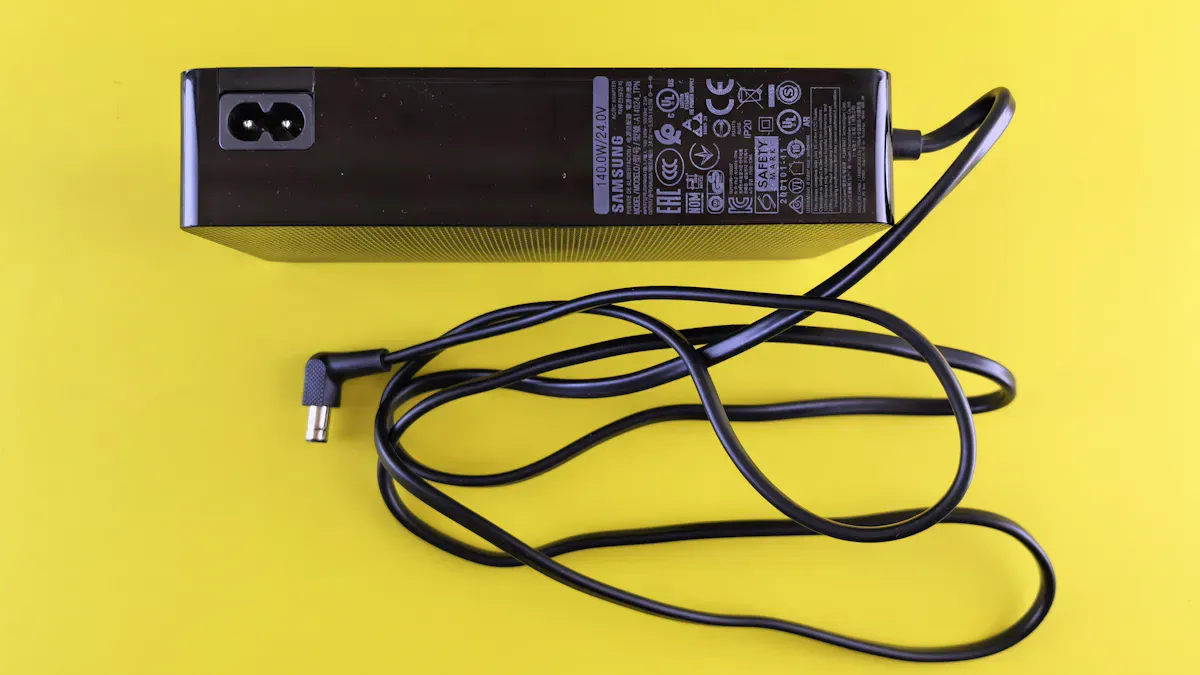
You want your AC Power Cord to keep your home safe. Certified cords are tested for safety and strength. If you see a UL or ETL mark, the cord can handle the right amount of electricity. These marks show the cord resists leaks and shocks.
Certified cables are made to stop common dangers like overheating and fires. Many accidents happen when people use cords without certification. These accidents are often caused by poor materials or bad manufacturing. Using certified cables helps companies avoid these problems.
If you need a trusted supplier, Xiamen Evershine Electronic Technology Co., Ltd. has many certified cords. They offer Custom C13 power cord Manufacturer, C13 C14 Power Cord, and Nema5-15 Power cable.
Key Standards (NEMA 5, Wire Gauge)
Check for the right standards before you buy. NEMA 5-15 plugs are used in North America. They fit most outlets and devices. Wire gauge is important too. Use 16-gauge wires for small devices. Use 14 or 12-gauge for bigger ones.
NEMA standards help cords fit and work with outlets.
Grounding and polarization features keep you safe from shocks.
Look for UL or CSA symbols to make sure the cord is safe.
Identifying Quality Cords
You can find a good AC Power Cord by checking the label and how it is made. Look for these things:
Cable type (like NM-B or MC)
Gauge size (AWG)
Voltage and temperature ratings
Certification mark (UL or CSA)
Manufacturer name
Color coding helps you know the wires:
Black, red, blue are for phases
White is for neutral
Green or bare is for ground
When you pick the right AC Power Cord, you keep your devices and family safe.
2. Inspect and Maintain Regularly
How to Check for Damage
You want your cords to last and keep you safe. Start with a quick check before you plug in any AC Power Cord. Look for these signs:
Check for fraying, splits, or any exposed wires. Wiggle the plug gently and see if the prongs feel loose. If you spot any of these problems, stop using the cord right away.
Signs of Overheating or Leakage
Sometimes, cords give you warning signs. If your cord feels hot, smells like burning plastic, or you see black marks near the plug, these are red flags. You might also notice flickering lights or hear buzzing sounds. These signs mean your cord could be leaking electricity or overheating. Unplug it and check for damage.
Tip: Store your cords in a cool, dry place. Coil them loosely and use cable baskets or VELCRO® straps. This keeps them from getting kinks or cuts.
When to Replace Your Cord
Don’t wait for a problem to get worse. Replace your cord if you see splits, frays, or if it gets too hot to touch. If you notice power flickers or the cord has been crushed, it’s time for a new one. In busy places like workshops, check cords every year. In offices, every two years is enough. If you need a new Power cord cable, choose one that fits your device and meets safety standards.
3. Install and Use Properly
Avoid Overloading Outlets
Plugging in too many devices is not safe. Too much power can make outlets get hot. This heat can melt the insulation and cause smoke or fire.
Here are some risks:
To stay safe, add up the amperage of your devices. Divide each device’s wattage by the voltage. Add the numbers together. Make sure the total is not more than your cord’s limit. If you use a Nema 5-15p Power Cord Cable, check its rating before plugging in many devices.
Ensure Good Ventilation
Cords get hot if they are covered or squeezed. Keep cords away from heat and do not run them under rugs. Short cords are best for strong devices, like a 6-foot cord. If you need a longer cord, use a thicker one to stop voltage drop.
Tip: Run cords along walls or baseboards. Use cord covers in busy places to keep cords safe.
Safe Placement and Moisture Prevention
Water and damage can make cords leak or overheat. Store cords in baskets or boxes to keep them dry and clean. Do not put cords where people walk. Never run cords under carpets. Use cable conduit to protect cords from sharp things and water.
Surge protectors stop damage from power spikes. USB charging ports make charging safer and easier. They have overload protection. Always check your AC Power Cord and strips for damage to prevent fires.
Pick cords that have certification. Check them often for damage. Use cords the right way to stop overheating and leaks.
Keep cords in a safe place. Do not put them under rugs or furniture.
Xiamen Evershine Electronic Technology Co., Ltd. gives good advice and sells quality cords.
Change your cords now to help keep your family safe!
FAQ
What should you do if your AC power cord feels hot?
If your cord feels hot, unplug it right away. Check for damage. Replace it with a Power cord cable that matches your device.
How often should you check your cords for safety?
You should check your cords every few months. Look for frays or loose prongs. Replace them with a Nema5-15 Power cable if needed.
Can you use any cord for your AC unit?
No, you need the right cord. Try a C13 C14 Power Cord or Nema 5-15p Power Cord Cable from a Custom C13 power cord Manufacturer.