

10 Essential Cable Types for Modern Cable Assembly and Their Everyday Uses
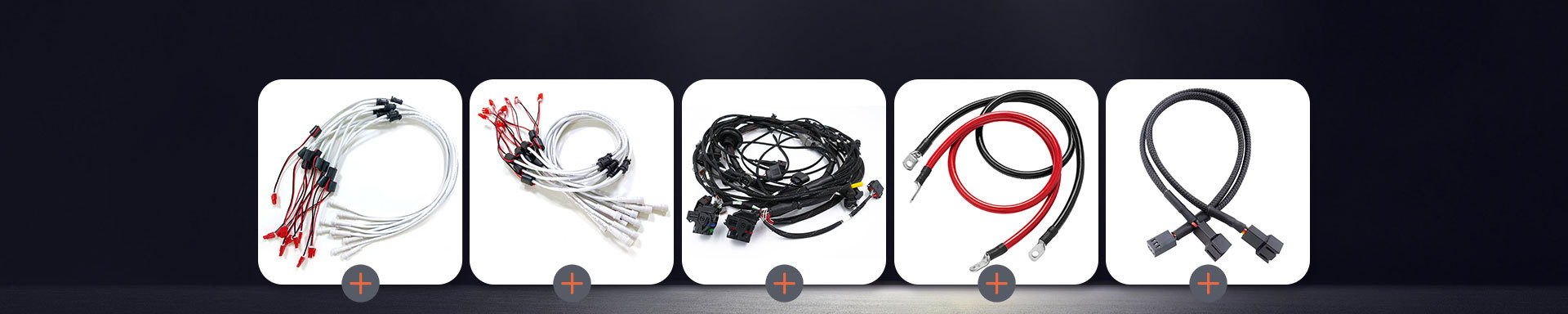
2026-05-06 10:43You should know which cables fit your devices. This helps you save time and avoid problems. If you use technology or want your gadgets to work well, learning about cables is important. Xiamen Evershine Electronic Technology Co., Ltd. gives good choices. Here are some cables you may see a lot:
Power Cord
HDMI Cable
USB Cable
Audio Cable
Telephone Cable
Charging Cable
Coaxial Cable
Fiber Optical Cable
Ethernet Cable
Specialty Cables
Picking the right Cable Assembly makes your setup work best.
Key Takeaways
Knowing about cable types helps you pick the right one for your devices. This makes sure your devices work well and do their jobs right.
Good cables, like HDMI and USB, help your devices work better. They also stop problems like losing signal or screen flickering.
Always look for compatibility and safety marks when you pick cables. This keeps your devices safe and gives you a strong connection.
1. Ethernet Cable Assembly
Features
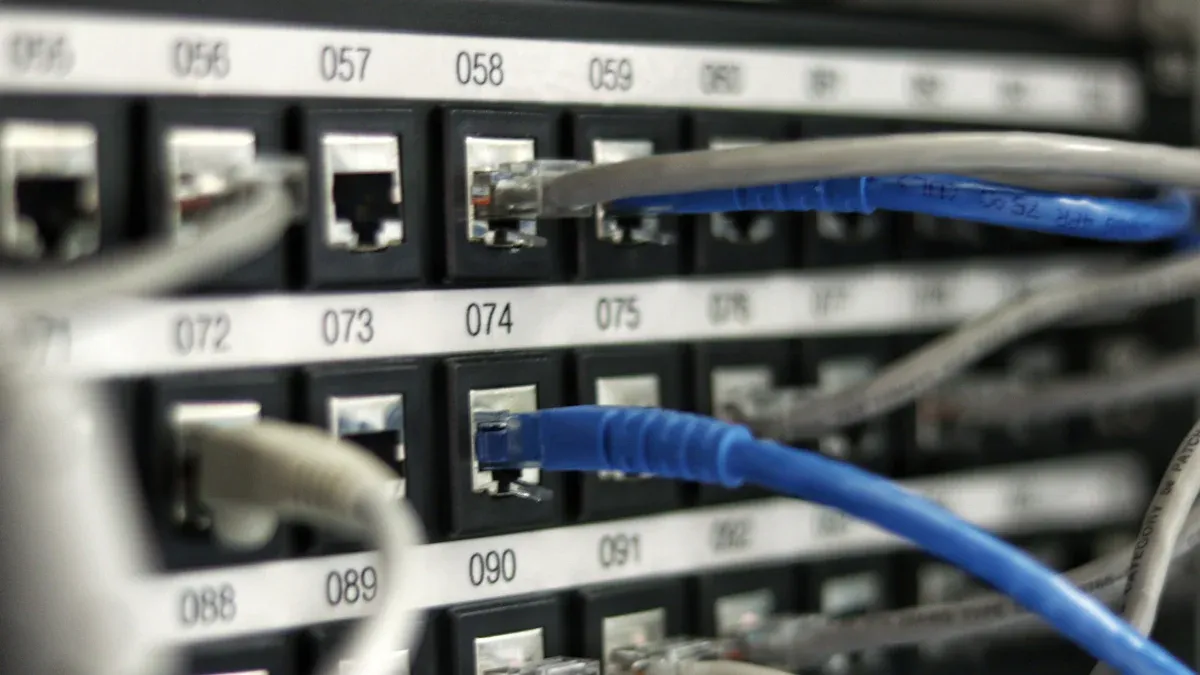
Ethernet cable assemblies let you link your devices to a network. They give you fast and steady data transfer. There are different types, like Cat5e, Cat6, Cat6a, and Cat8. Each type can handle a different speed. Look at this table to see how fast each one is:
| Ethernet Cable Type | Maximum Speed |
|---|---|
| Cat5e | 1 Gbps |
| Cat6 | 10 Gbps |
| Cat6a | 10 Gbps |
| Cat8 | 40 Gbps |
| Future Plans | Up to 1 Tbps |
Ethernet cables come in many colors and lengths. Some have extra layers to stop outside signals. This keeps your connection strong. If you want more choices, check out Wire and Accessories from Xiamen Evershine Electronic Technology Co., Ltd.
Uses
You see Ethernet cable assemblies almost everywhere. They are the main part of modern networks and LANs. You can use them to connect computers, routers, and switches. Here are some places where you might find these cables:
Homes for internet and gaming
Offices for connecting workstations
Factories for machine communication
Schools for classroom networks
You can get custom cable assembly solutions for special needs. Ethernet cables work in both small and big setups. They help your devices talk to each other without problems.
2. HDMI Cable
Features
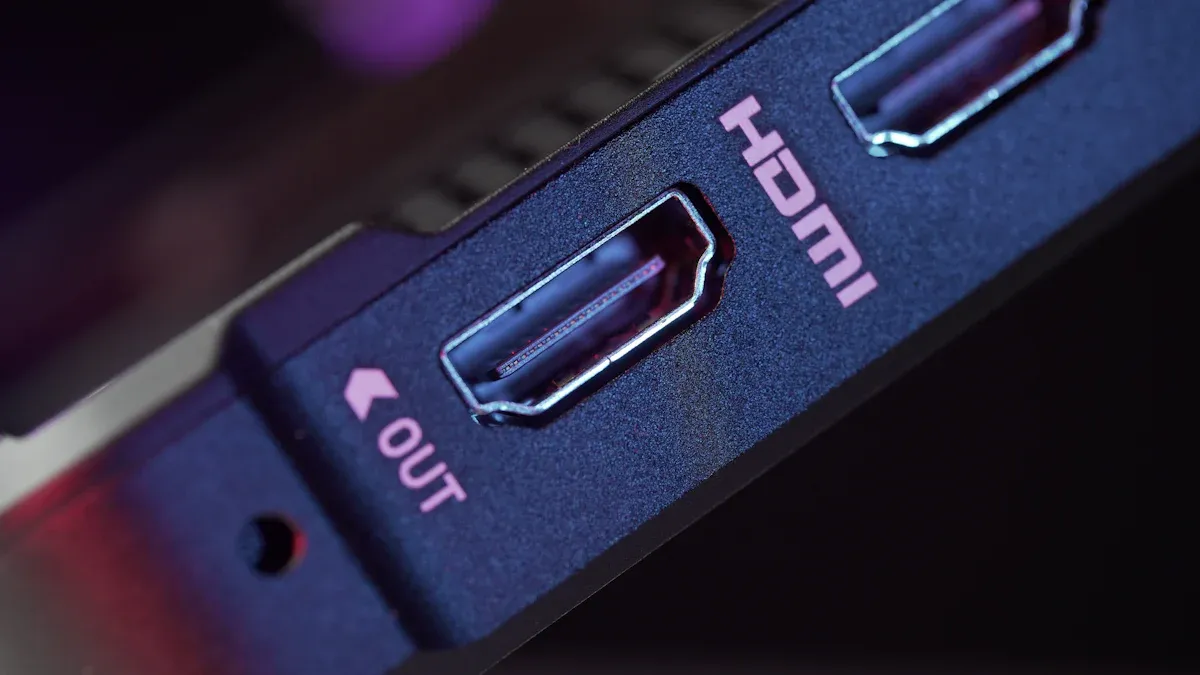
Most people use HDMI cables every day. These cables send both video and sound together. You do not need two different wires. HDMI cables work with high resolutions like 4K and 8K. This makes movies and games look very clear. You can find HDMI connectors on TVs, monitors, projectors, and game consoles.
Let’s look at how HDMI cables are different from other video cables. Here is a table to help you see the main differences:
| Feature | HDMI Cables | Other Cables |
|---|---|---|
| Signal Strength | High, but can pixelate with low quality | Varies, often lower than HDMI |
| Interference Resistance | Good, but can pick up outside noise | Varies, shielded cables do better |
| Bandwidth Support | Handles 4K, 8K, and more | Depends; DisplayPort is strong |
| Connector Types | HDMI is everywhere | Many types, like DisplayPort |
HDMI cables make things simple. You do not have to match many wires. If you want a neat setup, HDMI is a good choice.
Uses
You see HDMI cables in lots of places. You use them to connect your TV to a streaming box or Blu-ray player. You can plug them into your laptop to show slides on a big screen. Gamers use HDMI for fast and clear action. Offices use HDMI for meetings and presentations. Schools use HDMI to show videos in class.
Tip: Always choose a good HDMI cable for the best picture and sound. Cheap cables can cause flickering or no signal.
HDMI cables help keep your setup easy and tidy. You get great quality with just one cable.
3. USB Cable
Features
You probably use USB cables every day. These cables connect your phone, camera, or printer to your computer. USB stands for Universal Serial Bus. That means you can use one cable for many devices. You will see different types like USB-A, USB-B, USB-C, and Mini or Micro USB. Each type has a special shape and speed.
Here is a quick table to help you spot the differences:
| USB Type | Shape | Speed (Max) | Common Use |
|---|---|---|---|
| USB-A | Rectangle | 5 Gbps | Computers, chargers |
| USB-B | Square | 480 Mbps | Printers, scanners |
| USB-C | Oval | 40 Gbps | Phones, laptops |
| Micro/Mini | Small | 480 Mbps | Cameras, old phones |
You can plug USB-C in either way. That makes it easy. Some USB cables also charge your devices fast. You can find USB cables in almost every Cable Assembly.
Uses
You use USB cables for many things. You can charge your phone, transfer photos, or connect a keyboard. USB cables work with power banks, speakers, and even game controllers. If you need to charge more than one device, you can try a Charging Cable with multiple ends.
Here are some common uses for USB cables:
Charging your smartphone or tablet
Moving files between your computer and a flash drive
Connecting a printer or scanner
Powering small fans or lights
Syncing music to your MP3 player
Tip: Always check the cable type before you buy. Not all USB cables fit every device. If you want your setup to work well, pick the right cable for your needs.
USB cables make your tech life simple. You can find them everywhere, and they help your devices work together.
4. Power Cable
Features
You use power cables every day, even if you do not notice them. These cables bring electricity from the wall to your devices. You see them on computers, TVs, kitchen appliances, and more. Power cables come in different shapes and sizes. Some have thick insulation to keep you safe. Others have special plugs for different countries.
When you buy a power cable, you want to know it is safe. In the United States, you should look for UL certification. In Europe, VDE certification is important. These marks show that the cable meets strict safety rules. You can trust these cables to work well and protect your devices.
United States: UL certified
Europe: VDE certified
You can find power cables with extra features. Some have surge protection. Others have flexible cords that do not tangle. If you need more options, check out Electrical Wire and Cables for different types.
Uses
You need power cables for almost everything that plugs in. You use them for computers, monitors, printers, and chargers. You also see them on kitchen tools like blenders and microwaves. Power cables help you set up your home office or entertainment center. If you build a Cable Assembly, you will need the right power cable for each device.
Tip: Always check the plug type before you buy a new power cable. Not all plugs fit every outlet.
Power cables keep your devices running. You can choose the right one for your needs and stay safe at the same time.
5. Power Cord
Features
You use power cords all the time. You might not notice them much. A power cord is a cable you can remove. It connects your electronics or appliances to an outlet. You can unplug it and use it with another device. This is not the same as a power cable. Power cables usually stay inside walls or machines.
Here’s a simple table to show the difference:
| Type | Description | Main Uses |
|---|---|---|
| Power Cord | A removable cable used to connect appliances and electronics to an outlet. | Computers, household appliances, portable electronics |
| Power Cable | Designed to carry electricity from a source to devices and equipment. | Residential wiring, industrial machinery, power distribution |
Power cords come in many shapes and sizes. Some have three prongs for extra safety. Others have special plugs for different countries. If you want a good choice, check out an AC Power Cord for your Cable Assembly.
Tip: Always pick a power cord that matches your device’s voltage and plug type. This keeps your gadgets safe.
Uses
You see power cords in almost every room. They help you turn on your computer, monitor, or printer. You use them with kitchen appliances like refrigerators and washing machines. Portable electronics and chargers also need power cords.
Here are some devices that use power cords:
Computers, monitors, and printers
Household appliances like refrigerators and washing machines
Portable electronics and chargers
You can unplug a power cord and take it with you. This makes it easy to move your devices or swap a broken cord. Power cords help your home and office work well.
6. Coaxial Cable
Features
You can find coaxial cables in many places. You might not always see them. These cables have a solid wire in the middle. Around the wire is insulation and a braided shield. This design helps block outside noise. Coaxial cables are great if you want strong protection from interference. They work well at home and at work.
Let’s see how coaxial cables stop interference better than twisted pair cables:
| Cable Type | Shielding Type | Effectiveness Level |
|---|---|---|
| Coaxial Cable | Braided Shielding | Superior protection against EMI |
| Coaxial Cable | Double Shielding | Enhanced protection for RF signals |
| Coaxial Cable | Quadruple Shielding | Highest level of protection for sensitive applications |
| Twisted Pair (F/UTP) | Foil Shielded | Moderate EMI protection |
| Twisted Pair (S/FTP) | Shielded Foil Twisted Pair | High level of EMI immunity |
| Unshielded Twisted Pair (UTP) | Unshielded | No EMI protection |
Coaxial cables have better shielding than twisted pair cables. This means your signal stays strong. You will have fewer problems with your devices.
Uses
You use coaxial cables for TV, internet, and cameras. They send signals far without losing much quality. You might use them in your Cable Assembly for a home theater. You also use them to connect a satellite dish. Many businesses use coaxial cables for security cameras and networks.
Here are some ways you use coaxial cables:
Hooking up your TV to a cable box or antenna
Bringing internet from the wall to your modem
Connecting security cameras to recorders
Tip: Pick a coaxial cable with good shielding for clear video and strong signals. This helps you avoid blurry pictures and lost connections.
Coaxial cables help your TV and security systems work well.
7. Fiber Optic Cable
Features
If you want fast internet, fiber optic cables help. These cables use thin glass strands to send data as light. This lets you get very high speeds and almost no signal loss. You can use fiber optic cables for long distances without slowing down.
Check out this table to see how far fiber optic cables can go:
| Cable Type | Maximum Distance | Maximum Data Rate |
|---|---|---|
| Single-mode | Up to 125 miles | 100 Gbps |
| Multi-mode (OM5) | Up to 500 ft | 400 Gbps |
Fiber optic cables are better than copper cables in many ways. You get faster speed, more bandwidth, and less signal loss. Here’s a quick look:
| Advantage | Fiber Optic Cables | Copper Cables |
|---|---|---|
| Speed of Transmission | 10Gbps to 40Gbps (single-mode) | Lower speeds |
| Bandwidth | Theoretically unlimited | Limited |
| Attenuation | 0.4 dB/km to 1 dB/km | Higher attenuation |
Tip: If you want your Cable Assembly to work its best, pick fiber optic cables.
Uses
You see fiber optic cables in lots of places. Internet companies use them to give homes and offices fast internet. You find them in hospitals, schools, and big data centers. These cables help you stream movies, play games online, and join video calls with no lag. You can also use fiber optic cables for security cameras and smart buildings.
Fiber optic cables make your network strong and steady. You get fast data, even if it has to travel far.
8. Twisted Pair Cable
Features
You see twisted pair cables in many places. These cables have two wires twisted together. The twist helps block outside noise. You get a clear signal for your devices. Twisted pair cables come in shielded and unshielded types. Shielded cables give you extra protection from interference. Unshielded cables work well for short distances.
You might wonder about the standards for these cables. Here are the most common ones:
ANSI/TIA-568: This standard is popular in North America. It covers wiring systems and color codes like T568A and T568B.
ISO/IEC 11801: This standard is used worldwide. It helps your cables work with devices from different countries.
Twisted pair cables are flexible. You can bend them around corners. They fit well in tight spaces. You often see them in a Cable Assembly for home or office networks.
Uses
You use twisted pair cables for many jobs. They connect computers to routers and switches. You find them in phone lines and security systems. These cables also work in smart home devices. If you set up a network, you probably use twisted pair cables.
Here are some common uses:
Connecting computers in a local area network (LAN)
Hooking up phones in offices
Linking security cameras to recorders
Building a Wire Harness for electronics
Tip: Pick the right type of twisted pair cable for your project. Shielded cables work best in busy areas with lots of electronic noise.
Twisted pair cables make your connections strong and reliable. You can trust them for both simple and complex setups.
9. Audio Cable
Features
Audio cables help you move sound from one device to another. You use them for music, movies, and even calls. These cables come in many types, each with its own connector. If you set up a home theater or a professional sound system, you will see different connectors. Here are some you might use:
TS and TRS: You find TS on guitars and other mono gear. TRS works for headphones and mixers, giving you a balanced connection.
XLR: You see this round, three-pin connector on microphones in studios and live shows.
SpeakON: This connector locks in place, so your speakers and amps stay connected during a show.
RCA and banana plugs: You use these in home cinema setups to link audio equipment.
Audio cables can be short or long. Some have extra shielding to block noise. Others use gold-plated tips for better sound. You might see audio cables as part of a Cable Assembly when you need custom setups.
Uses
You use audio cables every day, even if you do not notice. You plug in headphones, connect speakers, or set up a soundbar. In studios, you use them to link microphones, mixers, and monitors. At home, you connect your TV to a speaker system for better sound.
Longer cables can cause signal loss. If you stretch a cable too far, the sound may get weaker or pick up noise. Always check the length you need to keep your audio clear.
Tip: Choose the right cable for your device and keep cables as short as possible for the best sound.
If you work with cars or need special wiring, you might want to look at an Automotive Wiring Harness for custom audio solutions.
10. Multi-Charging Cable
Features
A multi-charging cable makes your life easier. You get one cable with different ends, like USB-C, Lightning, and Micro USB. You do not need to carry a bunch of separate cables. Just grab one and you are ready to charge almost anything. These cables often have strong, flexible wires that last a long time. Some even come with braided covers for extra strength.
You can use a multi-charging cable with many devices. Here are some popular types you can charge:
Apple devices (iPhones, iPads, AirPods)
Android phones and tablets
Older gadgets with Micro USB ports
You can find multi-charging cables in different lengths and colors. Some have fast-charging support. If you want to keep your desk or bag neat, this cable is a smart pick. You can also use them in a Cable Assembly or Wire Harness for custom setups.
Tip: Choose a cable with sturdy connectors. This helps your cable last longer, even if you use it every day.
Uses
You can use a multi-charging cable at home, in the car, or at work. It helps you charge your phone, tablet, or wireless earbuds at the same time. You do not have to search for the right cable anymore. This is great for families or anyone with lots of gadgets.
Here are some ways you might use a multi-charging cable:
Charge your iPhone and Android phone together
Power up your Bluetooth headphones and tablet
Share one cable with friends or coworkers
You can keep one in your backpack, car, or office drawer. It saves space and keeps things simple. If you need more options, check out Charging Cable, AC Power Cord, or Wire and Accessories for your setup.
A multi-charging cable helps you stay ready for anything. You will always have the right connector for your devices.
Picking the right cable for your Cable Assembly helps your devices work well and stay safe.
Make sure you know what your device needs before you buy a cable.
Here are some easy steps to follow:
Look at what your device needs.
Choose cables that have safety marks.
Talk to someone who knows about cables if you need help.
Good cables help you save time and money!
FAQ
What is the difference between a Cable Assembly and a Wire Harness?
You use a Cable Assembly for protection and neatness. A Wire Harness groups wires together but gives less protection.
Can I use any AC Power Cord for my device?
No, you should pick an AC Power Cord that matches your device’s voltage and plug type. This keeps your device safe.
Which cable should I choose for charging my phone?
You can use a Charging Cable or a multi-charging cable. Check your phone’s port—USB-C, Lightning, or Micro USB.